TungTT
For anyone new to the Gurobi solver, and for students taking the Optimization course at the Faculty of Mathematics, Mechanics and Informatics, VNU University of Science.
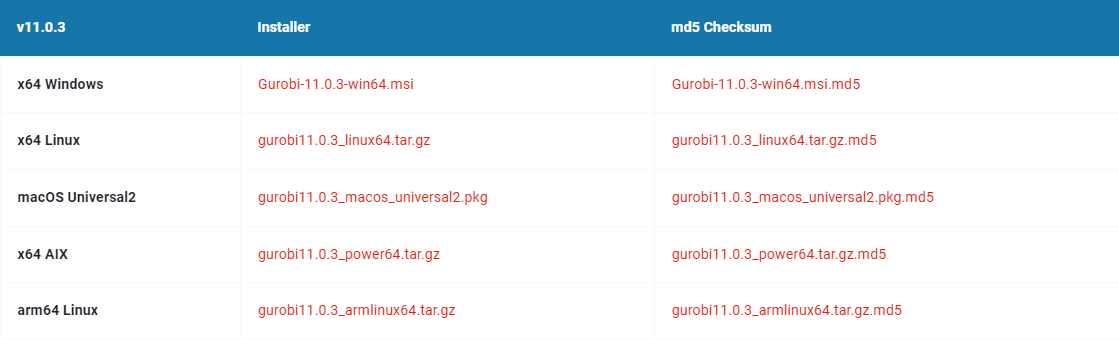
Step 1: Download Gurobi from this link
(scroll down to find the download files) and install it.
Step 2: Register a Gurobi account
Step 3: Request a Gurobi license.
-
Log in to Gurobi
-
Select
My account
-
Select
Review your current licensesunderlicenses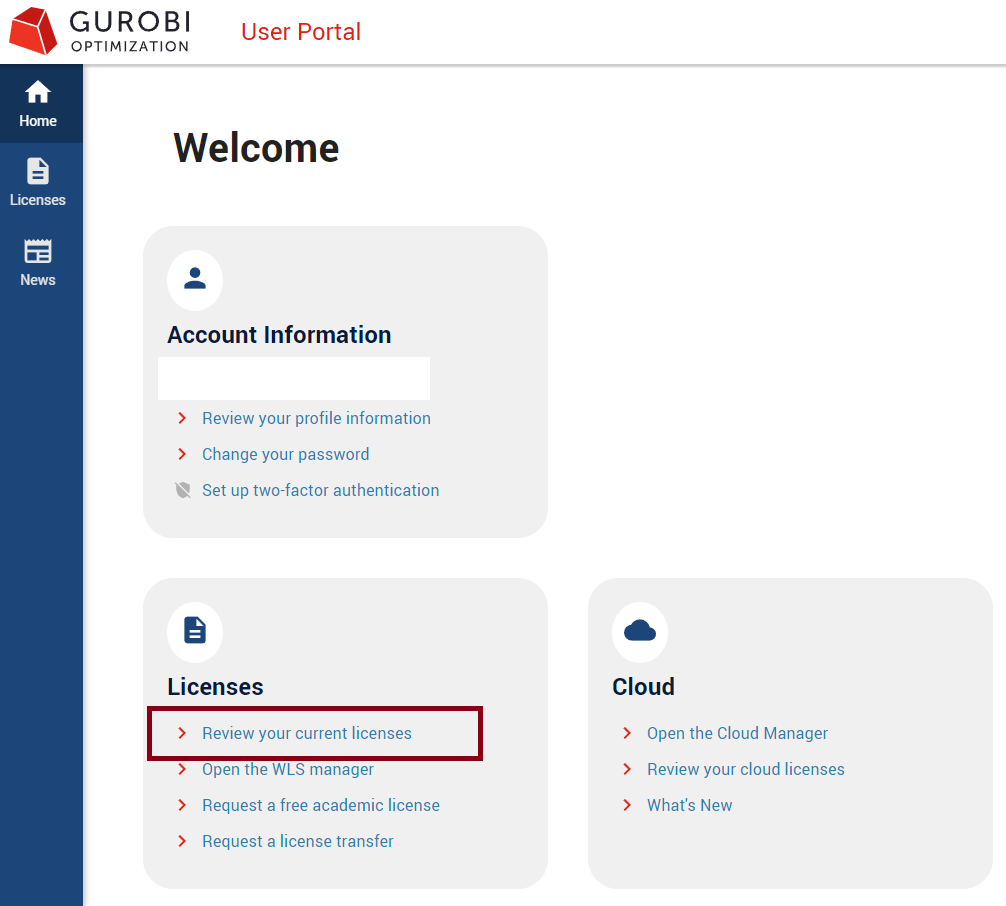
-
Go to
Requestand pick the license you want. If you're just starting out, chooseGurobi Limited license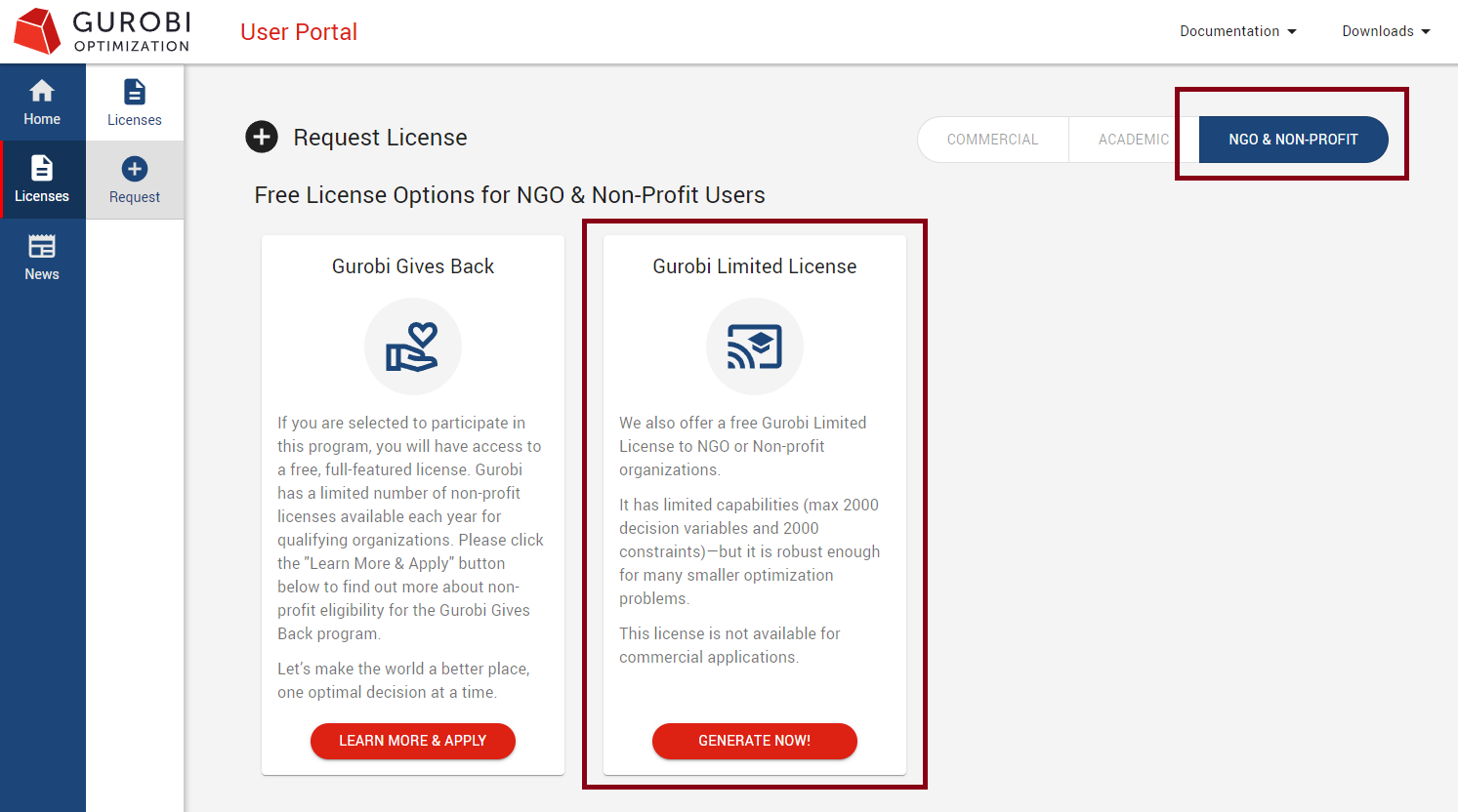
-
Under
licenses, you'll see the list of your licenses
Step 4: Activate the license on your computer
- In the
licensessection from the step above, pick the license you want and click the icon shown below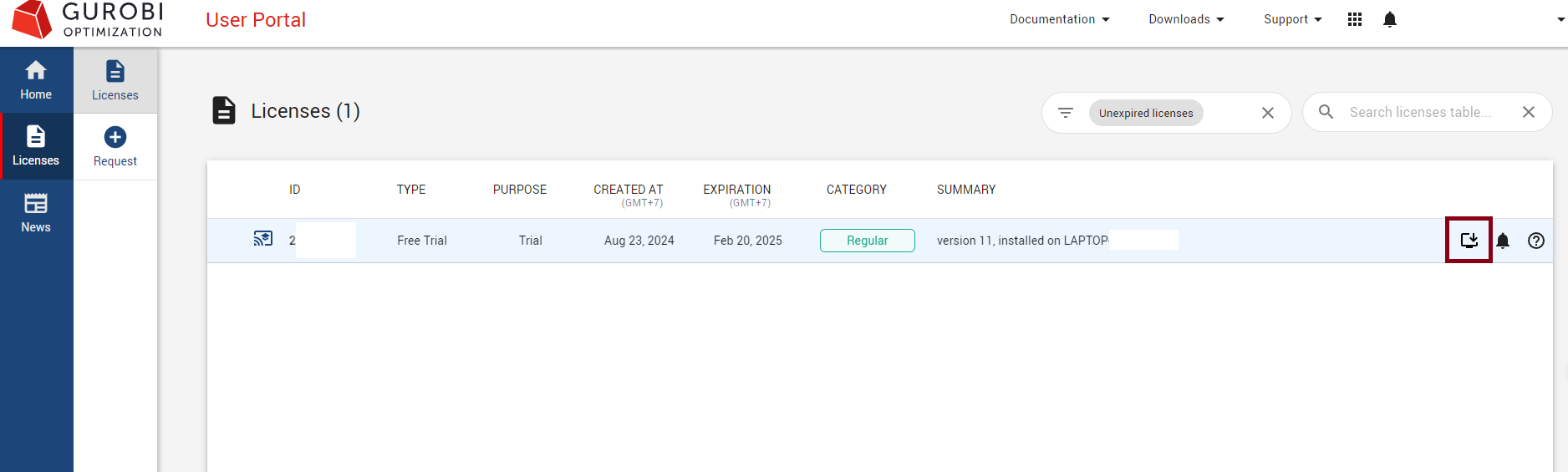
- Copy the line that looks like
grbgetkey [key]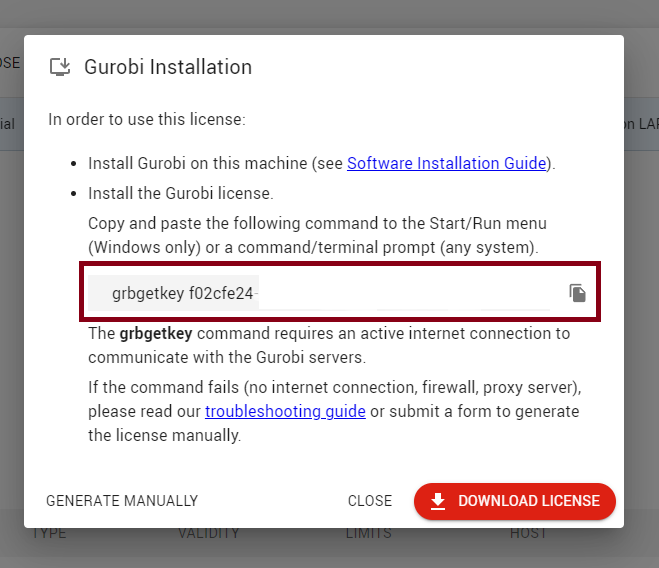
- Open a
Terminal(PowerShellorCommand PromptonWindows) and run that line. If you get the result shown below, the installation was successful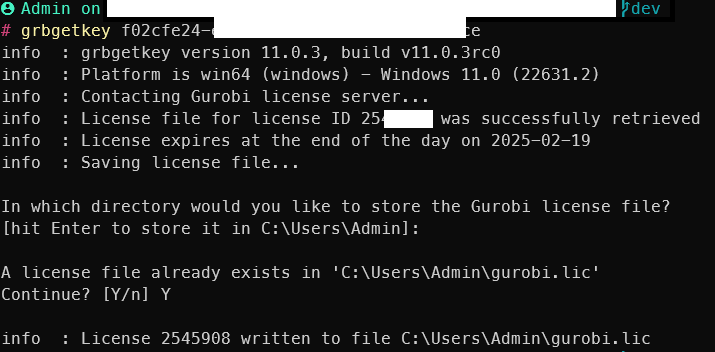
Step 5: Install gurobipy
open a Terminal (PowerShell or Command Prompt on Windows) and run
pip install gurobipyAbove are the steps to install Gurobi and activate a free license. This license can only solve small-sized problems (which is enough for the Optimization course at the Faculty of Mathematics, Mechanics and Informatics, VNU University of Science). For larger problems, you'll need to purchase a paid license or request an academic license (see how to request an academic license at quanhoang-pm).
Happy installing!