TungTT
Love Letter and Its Glow-Up - Part 2: From Couples' Love Letters to Letters for Any Occasion
Series: Love Letter and Its Glow-Up
Phần: 2 / 2- Love Letter and Its Glow-Up - Part 1: A Personalized Love Letter Generator
- Love Letter and Its Glow-Up - Part 2: From Couples' Love Letters to Letters for Any Occasion
In part one, Love Letter was built just to send love letters - the 11 templates back then were all about romance. But what I actually loved wasn't "writing love letters," it was sitting down and putting hard-to-say things into words - and that isn't unique to romance. So Love Letter stopped being just about "love letters" .
No longer just about two people
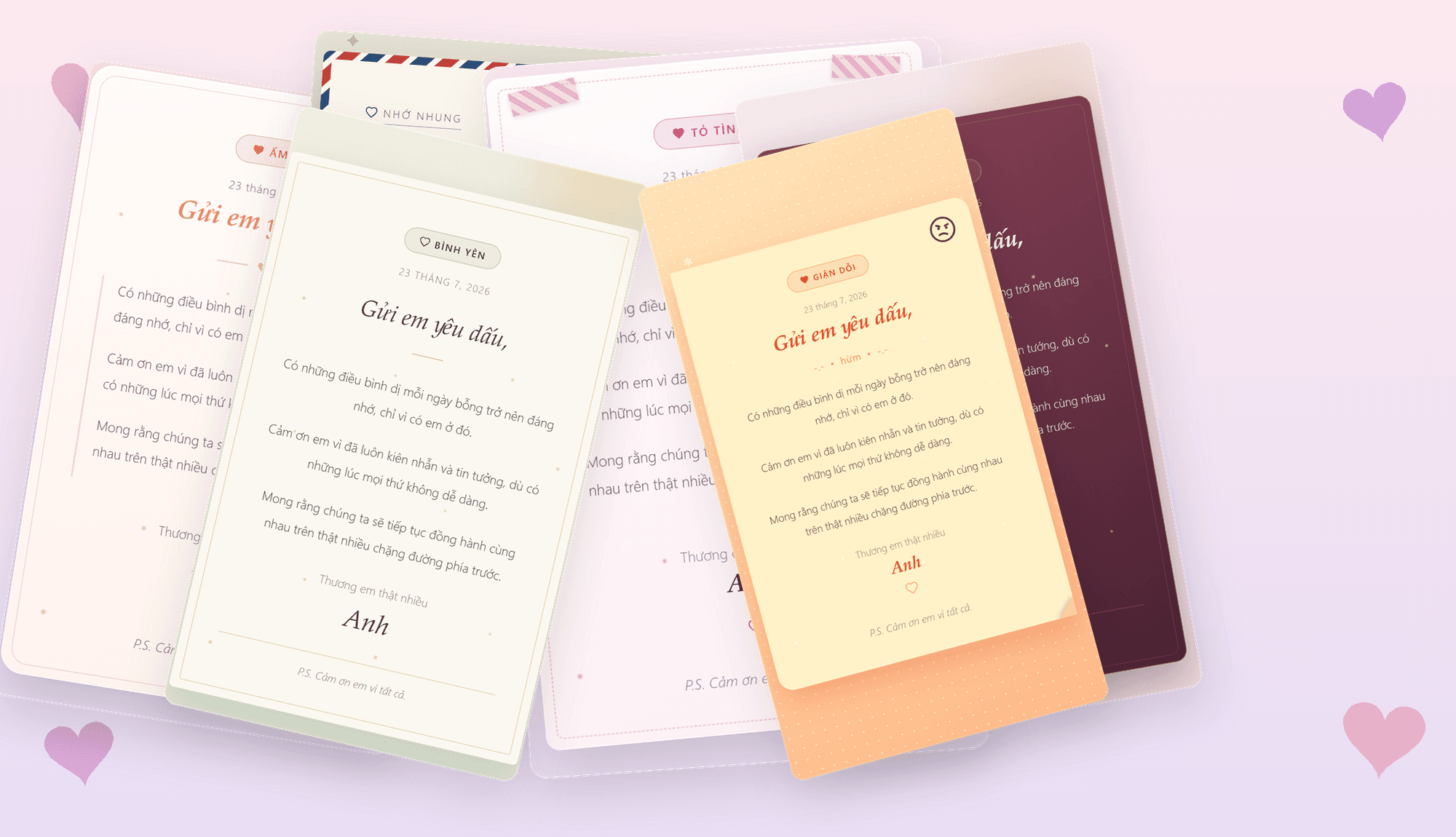
From 11 templates built purely for romance, the project is now up to 19: friendship, siblings, "comrades," family (3/4/5-person versions), farewell, celebration. The name "Love Letter" started feeling too narrow too, so the app got renamed to Thư Tay ("handwritten letter") - fit for any occasion.
Try a few of the new templates below:
The CLI wasn't enough anymore
When a letter only ever went to one person, making them install Python was tolerable. But once letters could go to parents, friends, coworkers, that technical barrier worked against the whole point.
So I built a web app with Astro + TypeScript, deployed at
love-letter.tungtt.dev: open the link and start writing, nothing to
install. To run entirely in the browser with no backend, I ported all 19 Jinja2 templates to a small
Jinja2-like interpreter written in TypeScript (tiny-jinja.ts). Because of that, your letter never
leaves your device: no server, no account, nobody can read what you write.
A smoother writing flow, for any occasion
The app now has a Library that saves multiple letters right in the browser (no account, no cloud). The compose screen has a title, date, greeting, paragraph-based content (with manual page breaks), a closing, a signature, and a postscript. On the style picker, every template ships with a preview in its own voice - so you get a feel for the mood before writing; pick a style for an empty letter and that sample text fills in as a starting point.
Desktop gets a live preview pane right next to the form; mobile gets a dedicated preview screen before you download or share.
Sending it off is still just as simple
The output is still a single .html file, sendable through any chat app. Mobile now has a Share
button that opens the native share sheet directly, no manual download needed.
The CLI is still there for anyone who wants to dig deeper, plus a new generate_all.py script that
renders one letter against all 19 templates at once for comparison.
Closing thoughts
Something that started because my handwriting is bad and I wanted to send a nice love letter is now a small app my family and friends use too - for anything hard to say out loud, to anyone.
Code available at Tung-hehe/love-letter
Happy coding, and I hope whatever letter you write gets fully received